A while ago, a bakery owner in Lahore messaged me with a simple problem: “Customers say they can’t find us on Google Maps.” The shop had been open for years and people loved the cakes. But when someone searched for a bakery nearby, the shop just wasn’t there.
The reason was simple. They had never set up or verified a Google Business Profile. In this Google Business Profile Pakistan guide, I’ll show you how I create, verify and complete a profile so customers can find you, call you and get directions.
I’m Muhammad Talha, a WordPress developer in Lahore. I set up and optimize Google Business Profiles as part of my local SEO work for Pakistani businesses.

What Is Google Business Profile (and Is It Free?)
Google Business Profile is the free business listing that shows on Google Search and Google Maps. It used to be called Google My Business, so many people still search for “Google My Business Pakistan” when they mean the same thing.
Yes, it’s completely free. You don’t pay Google anything to create, verify or manage your profile.
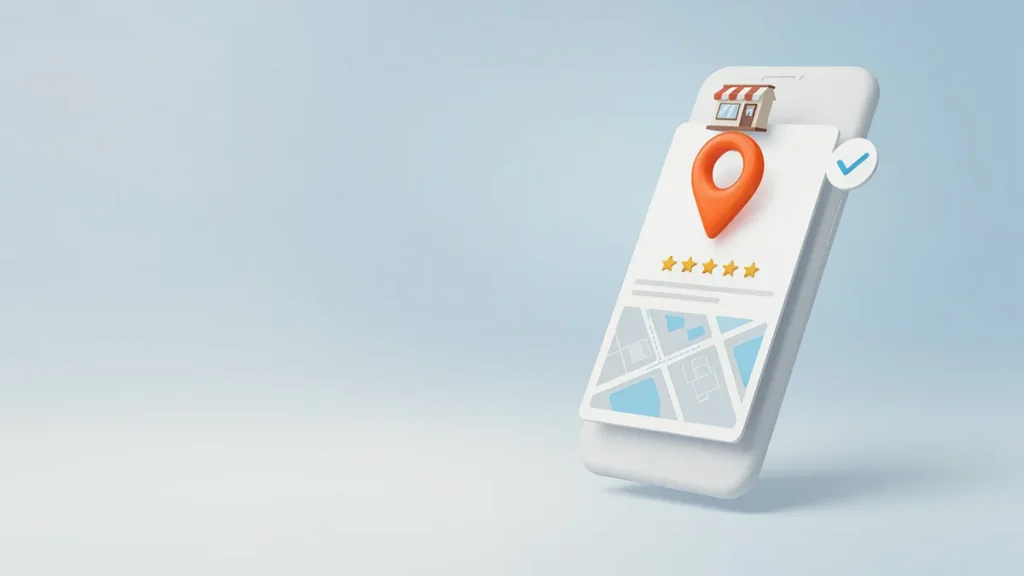
A complete, verified profile can show:
- Your business on Google Maps with a pin
- A call button, so customers can phone you directly
- Directions to your shop or office
- Customer reviews and star ratings
- A link to your website
- Your opening hours, photos and services
For a local shop, clinic or service business, this is often the first thing customers see, even before they visit your website.
Before You Start: What You Need
Before you start your Google Business Profile Pakistan setup, get these ready. It saves a lot of back-and-forth later.
- A business Gmail account. Create a separate Gmail for the business. Don’t use your personal account or an employee’s account.
- Your real business name. Use the name on your signboard, with no extra keywords.
- A phone number you actually answer. Customers will call it, and Google may use it during verification.
- Your address or service area. This is either a shop or office address, or the cities and areas you serve.
- Proof for video verification. Your signboard, your workplace, and something that shows you run the business.
- A website (optional, but it helps). Even a simple WordPress site gives customers more trust.
- Your logo and real photos. Use real photos of your shop, team, products and work, not stock images.
How to Set Up Google Business Profile in Pakistan (Step by Step)
This is the process I follow for clients. Google changes the screens often, so labels may look slightly different.
Step 1: Go to business.google.com and Check if Your Business Already Exists
Open business.google.com and sign in with your business Gmail. Search for your business name first.
If your business already shows up (sometimes Google or a customer adds it), you need to claim it instead of creating a new one. If nothing shows up, create a new profile. Google explains both options in its guide to add or claim your Business Profile.
In my experience, many owners end up with a second profile because they didn’t search first. That causes duplicate listings, which I cover later.
Step 2: Enter Your Business Name Exactly as on Your Signboard
Type your business name exactly as customers see it on your signboard, receipts and Facebook page.
Never add keywords, like “Best Cheap Bakery Lahore”. It may look clever, but it’s against Google’s rules. It’s also one of the most common reasons I see for failed verification and suspended profiles.
Step 3: Choose Your Primary Category Carefully
Your primary category tells Google what your business is. It has a big effect on which searches you show up in.
Pick the most specific category that fits. For example, “Bakery” is better than “Food store” if you mainly sell baked goods. After verification, you can add a few secondary categories for other things you offer, like “Cake shop”.
Don’t add categories for services you don’t actually provide.
Step 4: Choose Between a Location Customers Visit or a Service-Area Business
Google will ask if you want to add a location that customers can visit.
- Choose Yes if you have a shop, clinic or office where customers come in person.
- Choose No if you visit customers or work online, like a plumber or home tutor. This makes you a service-area business (more on this below).
Step 5: Add Your Location Pin, Phone Number and Website
Enter your full address the way it appears on your signboard or utility bill. Then drag the map pin to your exact entrance. Addresses in Pakistan can be messy, so the pin matters more than the address line.
Add your phone number and your website. If you don’t have a website yet, you can skip this for now. And if your website itself isn’t showing on Google, fix that separately, because your profile and your website support each other.
Step 6: Submit and Start Verification
Check everything and submit. Google will then show you the verification options for your business. Don’t skip this step. An unverified profile usually doesn’t show properly on Maps.
No Shop? Set Up as a Service-Area Business
Many Pakistani businesses don’t have a shop, and that’s fine. Google allows service-area businesses, for example:
- Electricians, plumbers and AC technicians
- Home tutors
- Home-based salons and makeup artists
- Freelancers who visit or meet clients
- Delivery-only food businesses and online stores
When you set up a service-area business, you hide your address and add the cities or areas you serve, like Johar Town, DHA or all of Lahore.
One strong warning: never use a fake address or a virtual office to get a map pin. It’s against the Google Business Profile guidelines, and it’s a fast way to get your profile suspended.
Google Business Profile Verification in Pakistan
Verification proves to Google that your business is real and that you manage it. Most of the questions I get about Google Business Profile verification in Pakistan are about this step.
Google decides which verification options you see. Video verification is the one I see most often for Pakistani businesses; postcard, phone or email may or may not appear.
Video Verification: What to Show
Record one continuous video on your phone. Don’t cut it, edit it or add music. In my experience, simple and clear works best. Show:
- The outside: your signboard and the street or nearby landmarks
- The inside of your workplace: the counter, office or work area
- Your tools or stock: ovens, products, equipment or a work vehicle
- Proof that you manage the business: unlocking the shop with your keys, or business documents (like a utility bill or registration) in the business name
Walk slowly, keep the camera steady and record in good light. If you run a service-area business, show your tools, your work vehicle and your business documents.
Postcard, Phone or Email (Only if Google Offers Them)
If you see a postcard option, Google posts a code to your address. With phone or email, you get the code directly. Enter the code in your profile to finish.
If video is also available, I usually prefer it to waiting for a postcard.
Verification Stuck or Rejected?
This is the stage where most business owners come to me. Common reasons:
- The business name doesn’t match the signboard
- The video was unclear, too short or edited
- The address on the profile doesn’t match what the video shows
- The name has keywords stuffed into it
Fix the problem first, then retry verification from your profile. If it still fails, contact Google Business Profile support from the help option in your profile.
Google’s review can take a few days to a few weeks. Be patient, and don’t create a new profile in the meantime.
Complete Your Profile After Verification
A verified profile with missing details won’t do much for you. After verification, fill in:
- Description: Explain what you do, where you do it and who it’s for, in plain language. Don’t add a list of keywords.
- Hours: Add your regular hours, plus special hours for Ramadan, Eid and public holidays. Timings change a lot in Ramadan, and wrong hours can lead to frustrated customers.
- Services or products: List your main services with short descriptions.
- Real photos: Your shop front, the inside, your team, your products and your finished work.
- WhatsApp or booking link: Many customers here prefer WhatsApp, so add a chat or booking link if Google offers it for your category.
- Attributes: Things like wheelchair access or online appointments, if they apply.
How to Get More Google Reviews (the Pakistani Way)
Reviews build trust and help your profile stand out. This is the simple system I set up for clients:
- Send a WhatsApp message right after the sale. For example: “Thank you for ordering from us! If you’re happy, please leave a quick review here: [link]”. You can copy your review link from your profile.
- Reply politely to every review, good or bad. A calm, helpful reply to a bad review can say more about your business than another five-star rating.
- Never buy fake reviews. It’s against Google’s policy. Fake reviews can be removed, and your profile can be suspended.
Reviews are one part of local SEO. For the full picture, read my full local SEO guide for Lahore businesses.
Common Google Business Profile Mistakes I Fix for Clients
I see these problems again and again:
- Keyword-stuffed name: “Star Electronics Best Mobile Shop Lahore” instead of “Star Electronics”.
- Wrong primary category: for example, a dental clinic listed as a general “Doctor”, or a salon listed as a “Beauty supply store”.
- Two profiles for one business: These are usually made by different people at different times. They split your reviews and confuse Google.
- Different phone numbers everywhere: One number on the website, another on Facebook and a third on Google. Use the same number everywhere.
- Profile made on an old employee’s Gmail: The employee has left, and the owner has no access.
That last one is very common. In one case, a clinic’s profile had been created by a former receptionist, and the owner had to go through Google’s ownership request process to get it back.
Now I always add the owner as Primary owner on their own business Gmail, and I only stay on as a manager.
Google Business Profile Pakistan Checklist
Use this checklist before and after you set up your profile:
| Task | Why It Matters | Done? |
|---|---|---|
| Search for an existing profile first | Avoids duplicate listings | ☐ |
| Use your real business name | Helps avoid verification problems and suspension | ☐ |
| Pick the most specific primary category | Helps you show up for the right searches | ☐ |
| Set the correct map pin or service areas | Sends customers to the right place | ☐ |
| Complete verification | Your profile usually won’t show properly until it’s verified | ☐ |
| Add hours, including Ramadan and Eid hours | Stops customers arriving when you’re closed | ☐ |
| Upload real photos | Builds trust before customers visit | ☐ |
| Add the owner as Primary owner | Keeps control of the profile with the business | ☐ |
Track Calls and Website Clicks
Once your profile is live, open the Performance section of your profile. It shows how many people called you, asked for directions and clicked through to your website.
Check it once a month. If calls go up after you add photos or fix your hours, you know what’s working.
For clients, I also add UTM tags to the profile’s website link and track WhatsApp and call clicks in GA4, so they know which leads came from Google Maps.
When to Get Professional Help
You can set up a profile yourself by following this guide. But it makes sense to get help when:
- Verification keeps failing, even after you fix the obvious issues
- Your profile is suspended and you don’t know why
- Someone else owns the profile and you can’t get access
- You don’t have time to manage reviews, photos and posts
I offer on-page, technical and local SEO, including Google Business Profile setup and optimization. You can see my local SEO services, or message me directly.
FAQs
Is Google Business Profile free in Pakistan?
Yes. Google Business Profile is completely free in Pakistan. You don’t pay anything to create, verify or manage it. Be careful of anyone who says you must pay Google to get listed.
How do I verify my Google Business Profile in Pakistan?
After you create your profile, Google shows you the verification options for your business. Video verification is the one I see most often in Pakistan. Record one continuous video that shows your signboard, your workplace, your tools or stock, and proof that you manage the business. For some businesses, postcard, phone or email options may also appear.
Can I create a Google Business Profile without a shop address?
Yes. If you visit customers or work online, set it up as a service-area business. Hide your address and add the cities or areas you serve. Never use a fake address or a virtual office.
Why did my Google Business Profile get suspended?
Common reasons include keywords in the business name, a fake or virtual office address, duplicate profiles, fake reviews and other breaks of Google’s guidelines. Fix the issue first, then submit an appeal from your profile.
Final Thoughts
Getting your Google Business Profile Pakistan setup right is one of the simplest things you can do for a local business. It’s free, it puts you on Google Maps, and it gives customers an easy way to call you or find your door.
Use your real name, pick the right category, pass verification with a clear video and keep collecting honest reviews. None of this guarantees rankings, but it gives your business a fair chance to show up when people nearby are searching.
If you’d rather have it done for you, send me a message on WhatsApp and I’ll take a look at your profile.