
A shop owner who sells clothes on Instagram messaged me on WhatsApp with one simple question: “Bhai, store kitne ka banega?”
Before reaching me, they had already asked a few other people. One quoted PKR 15,000. Another said it would run into lakhs. Same store idea, same products, completely different answers. They were confused, and honestly, I don’t blame them.
If you are trying to figure out the real ecommerce website price in Pakistan, you have probably faced the same thing. So let me explain why the numbers are so far apart.
The truth is, “online store” can mean very different things. A simple COD store with a few products is not the same job as a store with hundreds of variations, JazzCash payments, courier booking and ad tracking. Some cheap quotes also hide costs that only show up later.
In this guide, I’ll break it down honestly: what you get at each level, what decides the cost, the yearly charges people forget, and how to get a fair quote.
I’m Muhammad Talha, a WordPress developer in Lahore, and I build WooCommerce and Shopify stores for Pakistani businesses.
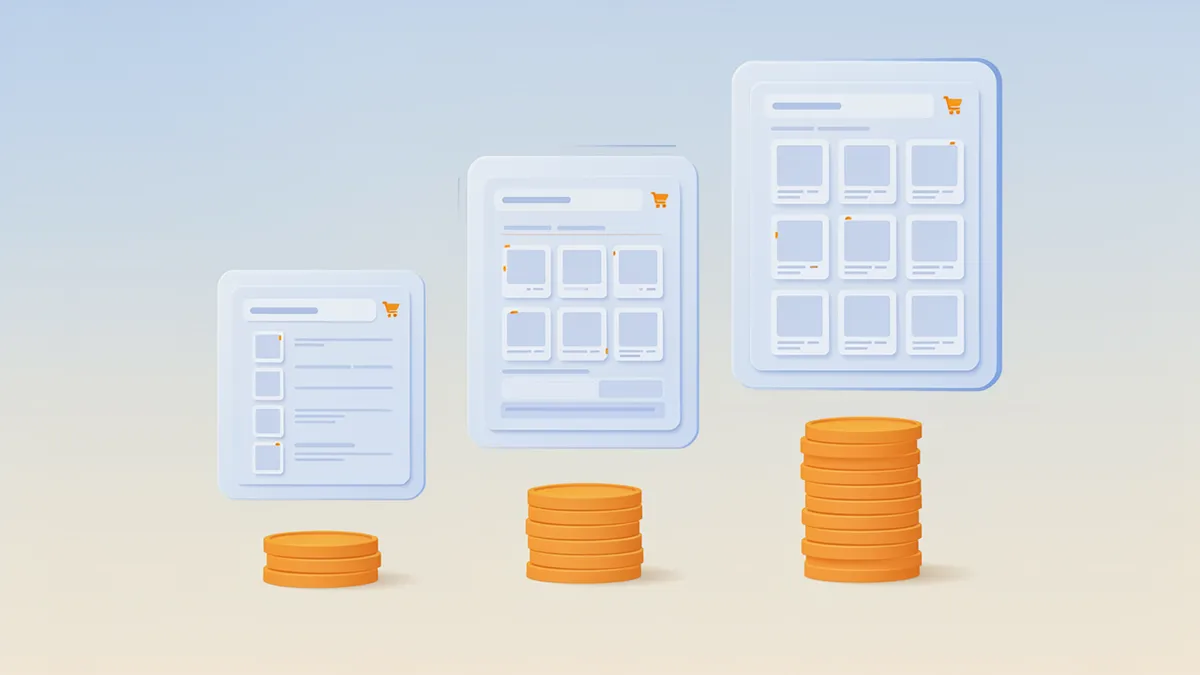
Quick Answer: eCommerce Website Price in Pakistan (2026)
If your question is simply how much an e commerce website costs in Pakistan, here is a quick overview of the four types of stores I usually build.
| Store Type | What You Get | Price Range | Timeline |
|---|---|---|---|
| Starter store | Up to ~20 products, simple theme, Cash on Delivery, basic pages (Home, Shop, Contact, Policies) | Starting from PKR 80,000 | 3–4 weeks |
| Standard WooCommerce store | Product variations (size, colour, stock), JazzCash/Easypaisa, city-based shipping zones, order emails | PKR 120,000–200,000 | 4–6 weeks |
| Shopify store setup | Theme setup and branding, product upload, COD, shipping rates, essential apps (Shopify plan paid separately) | PKR 70,000–150,000 | 2–4 weeks |
| Custom/advanced store | Multi-vendor marketplace, custom features, courier/ERP/API integrations | Starting from PKR 200,000 | 6–10 weeks |
Note: These prices depend on scope: number of products, design, payment methods and features. If you want a number for your own store, get a quick estimate for your store with my cost estimator.
What Decides the Price of an eCommerce Website?
When a shop owner sends me their requirements, these are the six things I look at before giving a quote.
Number of Products and Variations
Adding 15 products with one price each is quick. Adding 200 products where every shirt has four sizes, three colours and separate stock for each combination is a very different job.
Variations need proper setup so customers can’t order a size that’s out of stock. More products and variations mean more setup time, more testing, and sometimes better hosting.
Platform: WooCommerce vs Shopify vs Custom
WooCommerce runs on WordPress. You own everything and there’s no monthly platform fee, but you pay for hosting and need regular updates.
Shopify is hosted for you. Setup is simpler, but you pay a monthly plan, and many apps charge their own monthly fee too.
Custom-coded stores cost the most. They only make sense when your business needs something no plugin or app can do.
Theme vs Custom Design
Most small stores do well with a good, lightweight theme customised with their logo, brand colours and banners.
A fully custom design, where every page is designed from scratch, takes much more time. It’s worth it for an established brand, but usually not for a store that’s just starting.
Payment Methods (COD, Bank Transfer, JazzCash/Easypaisa)
Cash on Delivery and bank transfer are simple to add. Automated JazzCash or Easypaisa payments need merchant accounts, plugin setup and careful testing, so they add to the cost.
If you’re planning online payments, I’ve written a separate guide on adding JazzCash and Easypaisa to WooCommerce.
Shipping, Courier and Order Management Features
Flat-rate shipping is easy. City-based shipping zones, free delivery above a certain order value, or booking couriers from your dashboard all add more work.
Some stores also want order SMS, WhatsApp notifications or a quick way to export orders for the courier. Each of these adds a bit to the scope.
Product Upload and Content (Who Uploads 100+ Products?)
This is the question most people skip. If you have 100+ products, someone has to upload titles, prices, images, descriptions and variations.
If you hand me a clean spreadsheet and edited photos, uploading is quick. If I have to write descriptions and edit photos too, it’s a bigger job, and the quote should reflect that.
eCommerce Website Development Cost in Pakistan by Platform
The platform you choose affects what you pay upfront and what you keep paying every month or year.
| Platform | Upfront Cost | Monthly/Yearly Cost | Best For |
|---|---|---|---|
| WooCommerce (WordPress) | Starting from PKR 80,000 | Yearly hosting, domain and any premium plugin licences | Owners who want full control and lower running costs |
| Shopify | PKR 70,000–150,000 (setup) | Monthly Shopify plan (billed in USD) plus any paid apps | Owners who want a hosted, low-maintenance store |
| Custom-coded | Starting from PKR 200,000 | Server costs and ongoing developer maintenance | Businesses with unique features or large scale |
WooCommerce itself is a free plugin. What you pay for is hosting, domain, design, setup and sometimes premium plugins.
Shopify charges a monthly plan billed in US dollars, so your cost in rupees goes up or down with the dollar rate. Plans change from time to time, so check the current plans on the Shopify pricing page before you decide.
Don’t need a store, just a business or portfolio site? Read my guide on WordPress website cost in Pakistan instead.
Yearly Costs of Running an Online Store (Most People Forget)
When people ask about the ecommerce website price in Pakistan, they usually think only about the build cost. But your spending doesn’t stop on launch day. These are the running costs I explain to every client upfront:
- Domain renewal: paid every year for your .com or .pk domain.
- Hosting renewal: a store needs better hosting than a blog, because carts, checkout and stock updates can’t be cached like normal pages.
- Premium plugin and theme licences: many renew yearly for updates and support.
- Payment gateway charges: online payment gateways usually take a fee on every transaction.
- SSL certificate: often free with hosting, but confirm it’s included.
- Backups and security: daily backups and a firewall are not optional for a store that takes orders.
- Maintenance and updates: WordPress, WooCommerce and plugin updates need testing so checkout doesn’t break.
- Ads budget: a store without traffic gets no orders. Keep a separate budget for Meta or Google ads.
Always ask for the renewal price. Many hosting companies give a big discount in the first year, and the renewal price in year two can be much higher. I’ve seen store owners surprised by their second-year bill.
Before buying any hosting or premium plugin, ask one simple question: “What will this cost when it renews?”
Cheap Store vs Proper Store: What You Actually Get
I understand why the “PKR 10,000 store” sounds tempting. When you’re just starting, every rupee matters. But here’s what often comes with it:
- Nulled themes and plugins: pirated copies that often carry hidden malware or backdoors.
- Cached checkout: caching set up wrong, so customers see someone else’s cart or wrong totals.
- No stock management: you keep taking orders for items you don’t have.
- Slow on mobile data: heavy theme and huge images, while most of your buyers are on mobile internet.
- Developer keeps the logins: domain and hosting are in the developer’s name, so you can’t manage or move your own store.
I often get stores where the checkout has stopped working or the site has been hacked. Fixing these problems later almost always costs more than building the store properly the first time.
I also do WordPress malware cleanup, so I see the results of these shortcuts quite often.
How to Lower Your eCommerce Website Price Without Cutting Corners
You can keep your budget under control without ending up with a weak store. Here’s what I suggest to clients on a tight budget:
- Start with fewer products. Launch with your best sellers and add the rest later.
- Use a lightweight theme instead of paying for a fully custom design on day one.
- Prepare photos and a product spreadsheet yourself with names, prices, sizes, colours and descriptions.
- Start with COD plus manual wallet payments (customers send money to your JazzCash or Easypaisa number) and add an automated gateway once orders grow.
- Buy domain and hosting in your own name so you’re never locked in with one developer.
- Build in phases. Launch the core store first, then add reviews, loyalty points or courier integration later.
- Get a written quote with clear scope and the number of revisions, so there are no surprise charges.
For the full step-by-step process, see my complete WooCommerce store setup guide.
Questions to Ask Before You Pay a Developer
Before you send any advance payment, go through this checklist. A good developer will answer all of these without hesitation.
| Question | Why It Matters | Done? |
|---|---|---|
| What exactly is included (products, pages, payments)? | Avoids “that’s extra” surprises later | ☐ |
| Who owns the domain and hosting? | You should always control your own store | ☐ |
| How many revisions are included? | Stops endless back-and-forth or extra charges | ☐ |
| Is mobile checkout tested? | Most of your orders will come from phones | ☐ |
| Are backups and security included? | One hack can wipe out your orders and data | ☐ |
| Is GA4/Meta Pixel purchase tracking set up? | Shows which ads bring real sales | ☐ |
| How long is post-launch support? | Small issues always appear after launch | ☐ |
| What are the yearly renewal costs? | Helps you budget beyond year one | ☐ |
For my stores, I set up GA4 and Meta Pixel purchase tracking so owners know which ads bring real orders, not just clicks.
If you’re comparing a few options, here’s my guide on how to choose the right developer.
When to Get Professional Help
If you have a handful of products and sell mainly on Instagram or Daraz, a DIY setup is completely fine. You don’t need a full store yet.
Hire a developer when you want your own brand store, with local payments, shipping zones and tracking working properly from day one.
I offer WooCommerce store development in Pakistan as well as Shopify store development for local businesses. That covers theme setup, product uploads, COD, JazzCash and Easypaisa, shipping zones and full checkout testing.
If you’re looking for an ecommerce website developer in Lahore who explains every cost upfront, send me your requirements.
FAQs
How much does an e-commerce website cost in Pakistan?
It depends on products, platform and features. A starter store starts from PKR 80,000, a standard WooCommerce store is around PKR 120,000–200,000, and a custom store starts from PKR 200,000. Add yearly costs for domain, hosting and maintenance.
Is WooCommerce cheaper than Shopify in Pakistan?
For running costs, WooCommerce is often cheaper because the plugin is free and you only pay for hosting, domain and any premium plugins. Shopify has a monthly plan billed in USD plus app fees, so the cost changes with the dollar rate. Shopify is easier to maintain, though.
How long does it take to build an e-commerce website?
A starter store usually takes 3–4 weeks, a standard WooCommerce store 4–6 weeks, and a custom store 6–10 weeks. The biggest delays are usually waiting for product content and payment gateway approvals.
Do I have to pay every year for my online store?
Yes. You’ll pay yearly for domain and hosting renewal, plus any premium plugin licences and maintenance. Shopify stores also pay a monthly plan. For a typical WooCommerce store, budget from around PKR 35,000 per year for domain and store hosting, plus premium licences and maintenance, not counting ads.
Final Thoughts
There is no single ecommerce website price in Pakistan that fits every business. A small COD store and a full multi-vendor marketplace are completely different projects, and the price should match what you actually need.
Get a written quote, keep your domain and hosting in your own name, ask about renewal costs, and don’t let the cheapest number make the decision for you.
Tell me how many products you have and what features you need, and I’ll give you a clear, honest price for your store.